Repair Shop Customer Management Software
Repair Shop CRM Software (Track Customer History & Repeat Repairs)
Customer information should not be scattered across notes, memory, and different systems.
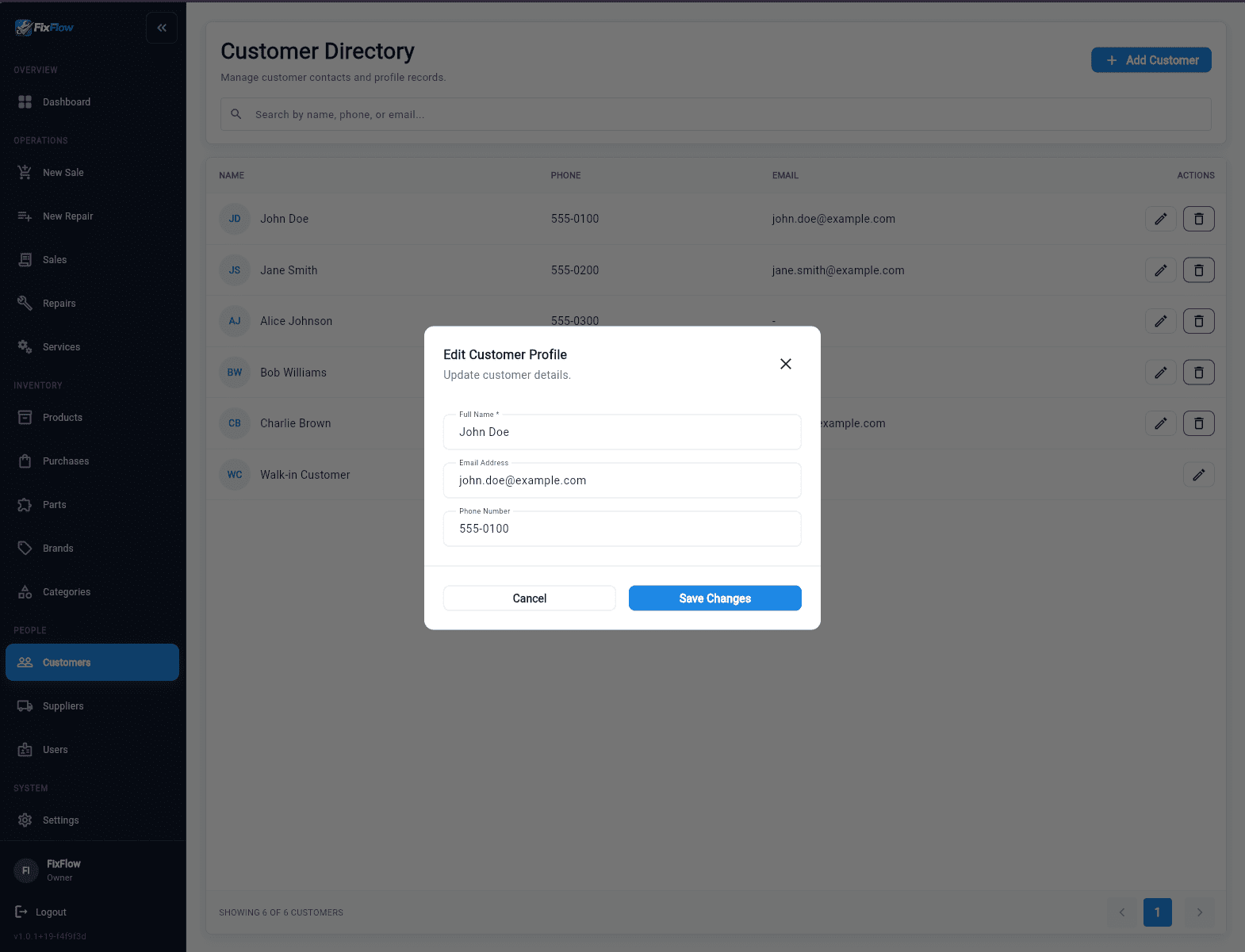
FixFlowSoftware keeps each customer tied to their devices, repair history, and past notes, so your team can pick up the repair without starting over.
What you get
Stop restarting repairs from scratch
See repair history, notes, and past issues before work starts.
Recognize repeat customers instantly
See who the customer is and what they repaired before.
Keep customer notes consistent across your team
Front desk and technicians see the same customer context.
Avoid repeated questions and missed details
Use existing customer data instead of asking everything again.
What actually happens without a repair shop CRM
A customer walks into your shop and says:
"You fixed my phone last month, now it's having issues again."
Your team tries to help, but:
- There is no clear record of the previous repair
- You do not know what parts were used
- The technician who handled it is not available
- The customer has to explain everything again
So instead of continuing the repair, your team:
- repeats intake questions
- guesses based on incomplete information
- risks making the same mistake twice
This is where shops lose time: not in the repair itself, but in missing customer context.
A repair shop CRM fixes this by keeping customer history and notes in one place the team can open right away.
Common customer management problems in repair shops
Repair shops struggle when customer information is spread across notes, memory, and disconnected systems.
Without one clear customer record tied to repair history, every visit starts from zero.
In many shops, customer details live in notebooks, POS systems, or staff memory. Repairs end up depending on who remembers what instead of one shared record.
- Losing track of previous repairs between visits
- Asking repeat customers the same questions again
- Technicians starting work without full repair history
- Not recognizing repeat customers or past issues
See customer repair history in one place
Your team should be able to open one customer profile and see past repairs right away.
FixFlowSoftware keeps customer records inside the broader phone repair shop software workflow, so staff can see what happened before they start again.
- See past repairs instantly
- View notes, issues, and outcomes in one place
- Keep every repair tied to the same customer record
Control which staff can view or edit customer records
Some records should be visible to the whole team, while other actions should stay limited to the right staff.
This lets shops share repair notes between front desk and technician without losing accountability.
- Choose which staff can view or edit customer records
- Replace shared logins with individual accountability
- Reduce mistakes caused by unclear ownership
How this works in a real repair shop
At intake, your team captures customer details and device information once.
After that, each repair is added to the same customer record, each note stays on the same profile, and each visit builds on previous work.
That turns customer tracking into one record instead of disconnected visits.
- Every repair is added to the same customer record
- Every note stays attached to the same profile
- Every visit builds on previous work
- You do not ask the same questions
- You do not rebuild the story
- You continue from where you left off
Example: Handling a repeat customer
A customer returns with a device that was repaired two weeks ago.
With FixFlowSoftware, you open their profile, see the last repair, check the notes, and continue the repair.
Without a system, you rely on memory or scattered notes, ask the customer to repeat details, and miss important context.
- Open the customer profile instantly
- See the previous repair and notes
- Check what parts were used
- Continue the repair without restarting
- Without a system, you rely on memory or scattered notes
- Customers repeat details and important context gets missed
Repair CRM vs generic CRM tools
Generic CRM tools stop at contact data.
They do not track repair history, device-specific issues, or technician notes. In a repair shop, that context matters to the whole job.
- Do not connect customers to repair tickets
- Do not track device-specific repair history
- Do not show technician notes or past issues
- Customers, devices, tickets, and history stay connected in one view
Why this matters when comparing alternatives
Many shops looking for a broader phone repair platform also need better customer tracking.
When the same phone repair shop software record includes past repair context, the team avoids repeating the same mistakes.
Who this is for
This repair shop CRM is built for teams that deal with repeat customers and need fast access to past repair history.
If your team often asks customers to repeat information, this system fixes that problem.
- Phone repair shops handling repeat customers daily
- Teams that struggle to track past repairs and customer history
- Shops where front desk and technicians need shared context
- Businesses replacing spreadsheets, notes, or generic CRM tools
Built for real repair shop workflows
FixFlowSoftware is built for repair businesses that need clear customer history, consistent handoffs, and faster repeat repairs.
Every feature on this page is shaped around day-to-day repair shop work.
- Clear customer history
- Consistent handoffs between roles
- Faster repeat repairs without lost context