Repair Shop POS Software
Phone repair POS software that keeps checkout connected to the repair
Most POS systems only handle payment — FixFlowSoftware connects checkout to the full repair ticket so your team can see parts, labor, notes, and history before the customer pays.
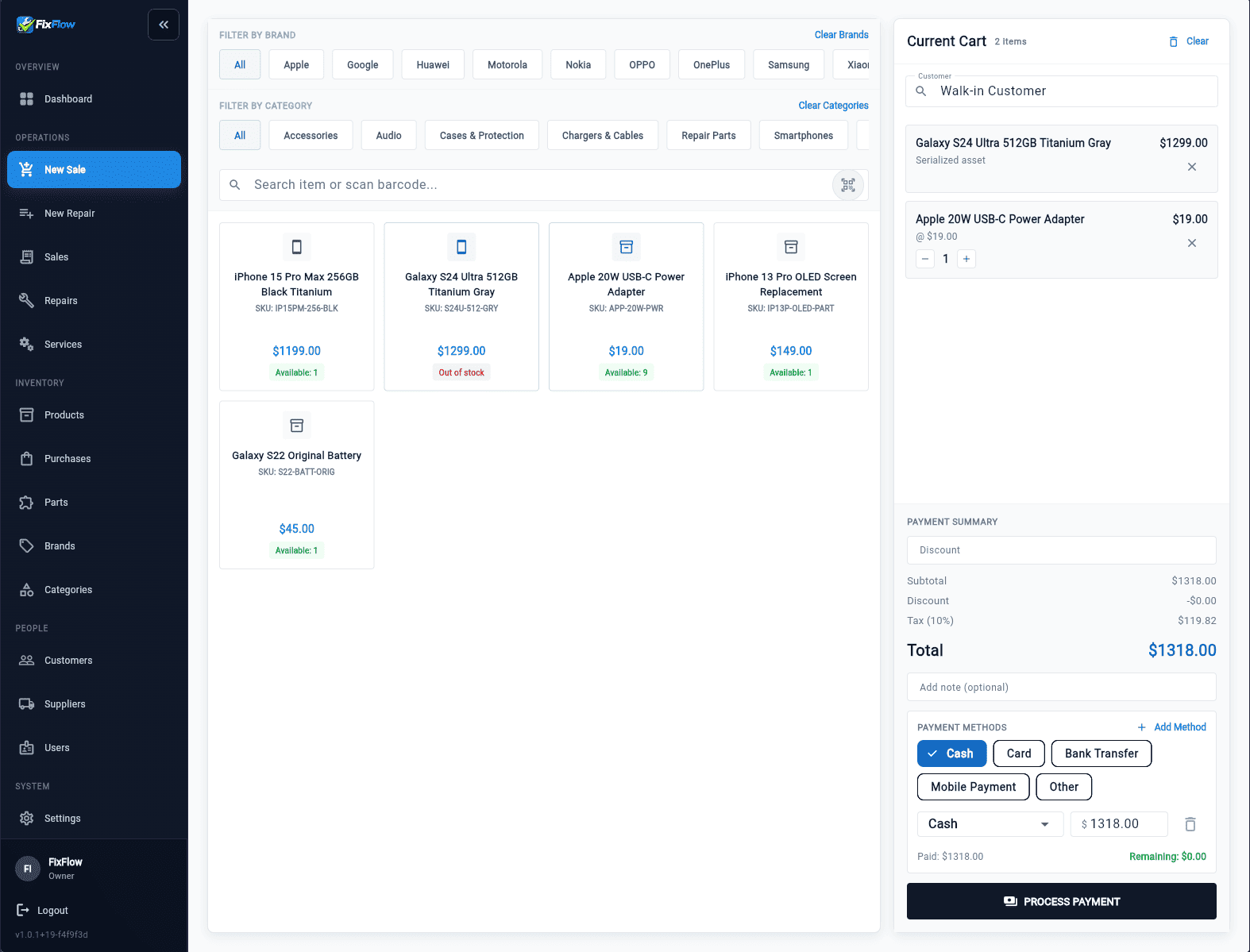
Quick answer
A phone repair POS needs to do more than take payment.
It should connect repair tickets, parts used, labor, customer history, and checkout.
That keeps pickup fast and prevents staff from rebuilding the job at the counter.
What you get
Checkout stays tied to the repair ticket
Front desk can open the completed repair and see the full job before taking payment.
Parts and labor stay visible at pickup
Charges come from the repair record instead of being rebuilt at the counter.
Notes and history stay in view
Staff can confirm what was done without stopping a technician for answers.
Faster checkout with less confusion
Pickup becomes the final step of the repair workflow, not a separate scramble.
Why checkout breaks down in repair shops
In many shops, checkout is disconnected from the repair process.
That leads to missed parts or labor charges, front desk staff asking technicians for details, slow pickup when customers are waiting, and confusion about what was actually done.
A common example is a technician using a screen, battery, adhesive kit, or small part on the bench, then the front desk forgetting it at payment because the POS never saw the repair record. The related checkout workflow guide shows how to keep that handoff visible from ready-for-pickup to payment.
Checkout problems also show up when a generic payment-first setup is doing work better explained in the Square POS for repair shops evaluation.
- Missed parts or labor charges
- Front desk asking technicians for details
- Slow pickup when customers are waiting
- Confusion about what was actually done
When a repair shop actually needs a POS system
A simple payment terminal can work while every sale is a retail item. A repair shop needs a cell phone repair POS when payment depends on diagnosis, approval, parts, labor, warranty notes, and pickup timing.
That usually happens once customers return for finished jobs, staff need to explain what was done, and the counter needs past context without calling a technician over. The phone repair POS feature page shows the checkout controls that matter once the repair itself is already complete.
- The customer is paying for a completed repair, not just a product
- The job includes parts, labor, notes, approvals, or warranty terms
- Front desk staff need repair history before checkout
- Missed charges or unclear pickup steps are slowing the counter
What a repair shop POS actually needs to handle
A repair shop POS does more than take payment. Repair shop POS software should show the full repair context at pickup.
When a customer arrives after a screen replacement, the front desk should open the job, confirm the device, see recorded parts and labor, and review notes or approval history without rebuilding the sale.
If you want to compare that with a payment-first tool, the Square POS for repair shops page shows where a retail POS usually creates extra reconstruction work at pickup.
- Show the full repair context at pickup
- Include parts and labor from the repair
- Display notes, approvals, and history
- Let staff confirm everything before charging
How FixFlowSoftware handles POS differently
FixFlowSoftware keeps checkout inside a repair-connected workflow instead of sending staff to a separate retail screen.
Front desk opens the completed repair, sees parts, labor, and notes right away, confirms totals, and takes payment without pulling a technician over. The phone repair POS feature page and the checkout workflow guide show the same handoff from product and process angles.
That means checkout stays part of the repair workflow, not a separate step.
- Front desk opens the completed repair
- Parts, labor, and notes are visible instantly
- Totals can be confirmed without asking technicians
- Payment is completed with full repair context
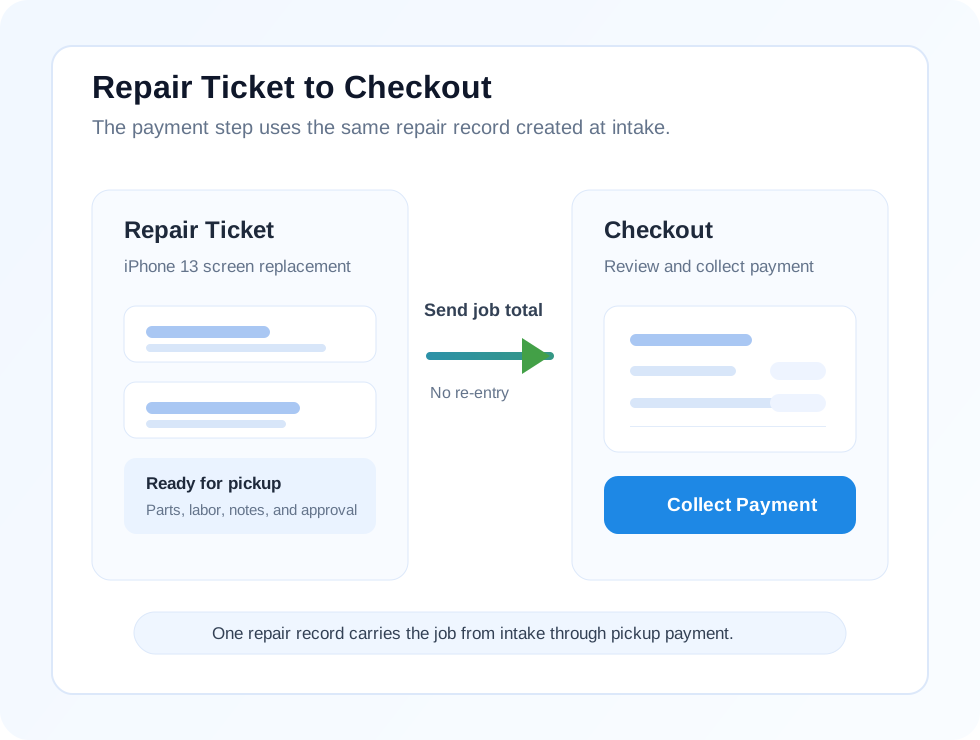
What staff sees at pickup
When staff opens the completed job, they should see the customer, device, repair status, parts used, labor, notes, and total in one place. That gives the front desk enough context to explain the work, confirm charges, and collect payment without starting over.
If a battery, adhesive kit, or another part was used during the repair, it should already be attached to the ticket before checkout begins. That is what prevents re-entry and missed charges at the counter.
- Customer and device details are visible immediately
- Recorded parts and labor are already attached to the job
- Notes, approvals, and repair status stay in view
- The total is ready to confirm before payment
How checkout works in a real repair shop
A repair checkout system should follow the same sequence your team already uses on the bench. By the time the customer arrives, the job should already hold the parts used, labor added, technician notes, and ready-for-pickup status.
At the counter, staff opens the ticket, confirms the device and customer, reviews totals, answers questions from the same record, and takes payment. The sale is finished from the repair record instead of rebuilt from memory.
- Step 1: Repair is completed and the technician updates parts, labor, and notes
- Step 2: The job is marked ready for pickup and status is visible to front desk
- Step 3: The customer arrives and staff opens the repair ticket
- Step 4: Staff confirms the device, charges, and notes from the same record
- Step 5: Payment is taken without rebuilding the job first
Can you use Square or a retail POS for repairs?
You can use Square or another retail POS to collect payment, but the repair workflow still has to live somewhere else. Staff may need to copy parts, labor, notes, approvals, and customer context into checkout by hand before taking payment.
That is manageable for accessory sales. It breaks down at repair pickup, where the payment screen needs to reflect diagnosis and bench work that happened earlier. The issue is not card processing. The issue is missing repair context at checkout.
- Retail POS tools are built for product sales
- Repair pickup needs ticket, parts, labor, and history context
- Manual copying increases missed-charge and re-entry risk
FixFlowSoftware POS vs generic POS systems
Generic POS systems:
- Starts from a blank or product-only checkout
- Staff may need to re-enter parts or labor
- Notes and approvals live outside the payment screen
- Missed charges are easier at pickup
FixFlowSoftware:
- Opens the completed repair ticket
- Shows parts, labor, notes, and history together
- Uses the recorded repair total at checkout
- Lets staff explain and collect payment from one screen
Why a repair-first POS works better
Most POS tools are built for retail. Repair shops need repair context, approval history, parts and labor tracking, and pickup clarity. That is why a repair-first POS works better than a retail-first system.
- Repair context stays visible at payment
- Approval history is easy to confirm
- Parts and labor tracking stays attached to the job
- Pickup stays clear for staff and customers
See how repair checkout actually works
Open the demo and follow one job through intake, repair, and checkout. You can see how the repair ticket becomes the checkout record, how parts and labor stay attached, and how pickup stays clear for the counter team.
- No setup. No payment. Just try the workflow.
Frequently asked questions
Is this a full POS system?
Yes. It handles checkout, but it is built around repair workflow instead of retail-only sales. Payment happens from the completed repair record, not from a separate screen that has to be filled in again.
Can I track parts and labor at checkout?
Yes. Parts and labor recorded on the repair ticket stay visible when the customer arrives. Staff can confirm those charges before payment instead of adding them again at the counter.
Does this replace my current POS?
It replaces disconnected repair checkout workflows. If your current POS only handles payment and not repair context, this closes that gap by making the repair ticket the source of truth at pickup.
Can I see repair history during checkout?
Yes. Staff can review the current repair record and related customer history during checkout. That helps answer pickup questions without sending the customer back into the queue while someone asks a technician for details.